Raising Cane's Chicken Fingers
- 4.8
- Rating
- 1.00M
- Installs
- Free
- Price

 Analysis by App-foxy
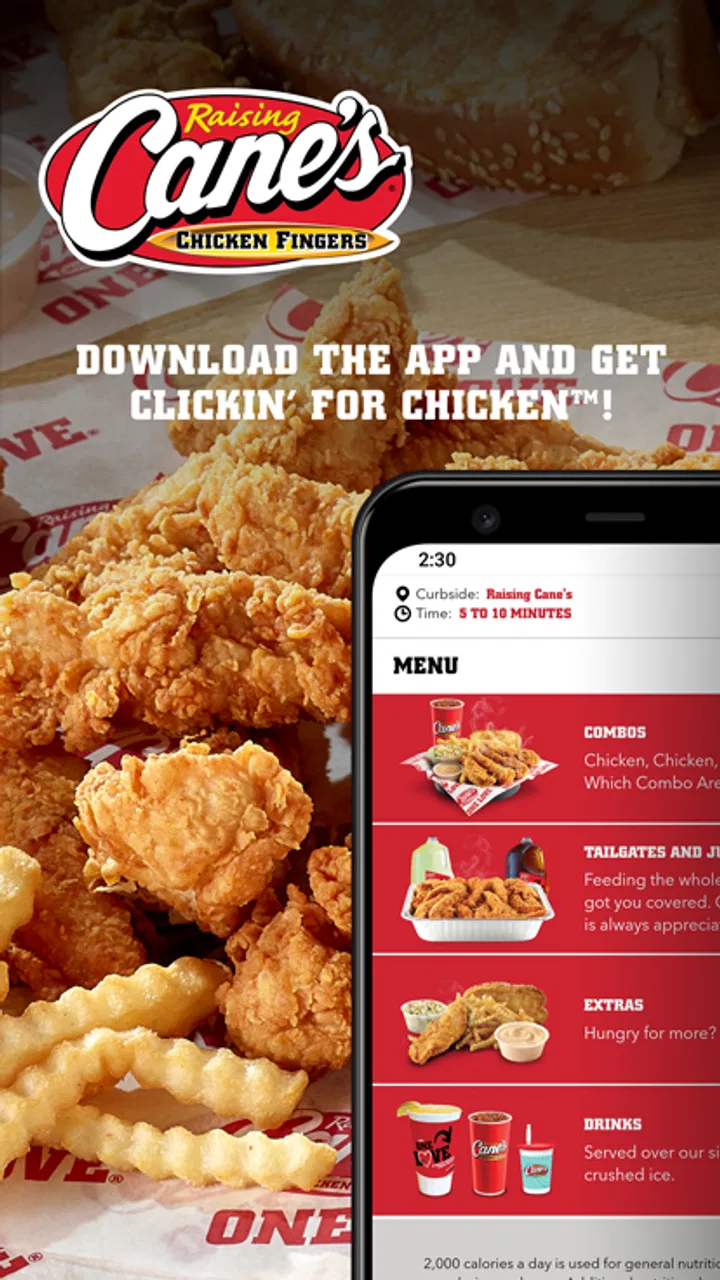
I like food-ordering apps most when they remove one annoying step without trying to become an entire lifestyle platform. Raising Cane's Chicken Fingers takes that narrower approach. It is a free Food & Drink app from Raising Cane's Restaurants, L.L.C. that lets me browse the restaurant menu, place an order, pay ahead, and choose a convenient way to collect it. The idea is simple, but simplicity matters when I am hungry and already know what I want.
My experience with it is best described as practical rather than feature-packed. It is built around getting Raising Cane's food with less waiting and less back-and-forth at the counter. That makes it especially useful for repeat customers, quick lunches, and planned pickup. It is less compelling if I am looking for a broad restaurant marketplace, delivery discovery, or a way to compare several nearby places in one screen.
What to consider before making it your regular ordering app
The first question is not whether the app is polished; it is whether Raising Cane's is already the kind of meal you want. This app is tied to one restaurant, so its value depends heavily on how often that restaurant is a realistic choice for you. If you usually order chicken fingers, the focused menu can feel refreshingly quick. If you are still deciding between pizza, sandwiches, groceries, and several local restaurants, a multi-restaurant service is naturally more flexible.
You May Also Like

 Blood Strike: 2.5 Anniversary
Blood Strike’s Loadouts Turn Every Drop Into a Tactical Gamble
A close look at Blood Strike’s custom loadouts: how fast access to signature weapons reshapes its battle royale rhythm, rewards preparation, and narrows the gap between fights.

 Pandora - Music & Podcasts
Pandora’s Music Is Easy to Start, but Harder to Recover
Pandora’s strength is its low-effort path from a seed to a station. Its weak spot is how much confidence it asks you to place in connection, setup, and quiet recovery.

 8 Ball Pool
 Is Built on Rivalries, Rematches, and Routine
A close look at the rivalries, rematches, shared routines, and unanswered safety questions that turn a quick pool match into a persistent mobile community.

 Samsung Music
’s Quiet Strength Is Playing What You Already Own
Its reach comes less from spectacle than from dependable access to a personal library. That simplicity is both the app’s strongest retention engine and its ceiling.

 AccuWeather: Weather Radar
AccuWeather Review: A Quick, Clear Forecast for Everyday Decisions
For everyday plans, the best forecast is the one you can understand quickly. AccuWeather makes rain timing, radar, and local conditions easy to act on, with a few trade-offs.

 Hill Climb Racing
Why Hill Climb Racing Still Turns Crashes Into One More Run
A tiny car, a bumpy hill and one more upgrade: Hill Climb Racing keeps resurfacing because its simple chaos makes every near-miss feel personal.
More From Our News Desk



I would also think about your usual ordering situation. Someone walking into a restaurant spontaneously may gain little from installing the app. Someone who orders during a short lunch break, coordinates food for a household, or wants to avoid standing in line has a clearer reason to use it. The strongest case is not “I need another food app”; it is “I already know where I want to eat, and I want the transaction to be smoother.”
There is also a useful distinction between menu convenience and restaurant convenience. The app can make choosing and paying more orderly, but it does not change the distance to the restaurant or make a location convenient when it is not. I would check the available restaurant choice and pickup details before building the app into a tight schedule. For an ordinary meal, a little flexibility is fine. For a rushed commute or a large order, I would leave room for real-world delays rather than treating the app as a guarantee of instant handoff.
The app is free, and it is aimed at Everyone. It was released on October 26, 2020, and the current version is 2.4.0, with Android support starting at version 5.1. Those details make it accessible to a wide range of Android users, including people who keep an older phone for basic tasks. I still recommend checking that your phone can run the current app comfortably before relying on it for an important order.
The everyday workflow is where it makes sense
Imagine a weekday lunch when I have ten minutes to leave my desk, collect food, and return. With the usual counter-ordering routine, I have to arrive, read the menu, decide, wait for the order to be entered, and then pay. Using the app earlier lets me make those decisions before leaving. I can review the meal, complete payment in advance, and approach the visit with a clearer plan.
That workflow is also helpful when ordering for more than one person. Instead of trying to remember several preferences while standing in line, I can assemble the order at a calmer moment. This is one of the less obvious benefits of a single-brand app: the limited scope reduces browsing, which can be a disadvantage for discovery but an advantage when everyone has already agreed on the restaurant.
My practical tip is to treat the menu review as part of the ordering process, not as a last-second check. Before paying, I would verify the restaurant selection, the items, quantities, and the pickup choice. A focused app can make ordering fast, but speed also makes it easy to tap through a familiar order without noticing a small change. A quick pause before submitting is more useful than assuming the app will catch every mistake.
Where the focused design wins
The biggest strength is reduced friction for people who already want Raising Cane's. There is no need to scroll through unrelated restaurants or compare cuisines. The app keeps the journey centered on the brand's food, which makes repeat ordering feel more direct than using a broad delivery marketplace.
Paying ahead is another meaningful advantage. I prefer completing payment before I reach the restaurant when I am trying to keep a short break predictable. It also reduces the need to handle a wallet or card at the counter, although I would still keep enough flexibility in my schedule for the pickup itself.
The narrow purpose can help families and regular customers form a repeatable routine. If my household often chooses the same restaurant, I can use the app as a planning tool rather than starting from scratch every time. That is not a flashy feature, but it is the kind of convenience I notice after several visits: fewer decisions, fewer opportunities to forget an item, and a more consistent ordering habit.
Its popularity supports that impression. The app has an average rating of 4.8 from around 79 thousand ratings, and it has passed one million installs. I do not treat those figures as proof that every order will be perfect, but they do suggest that the basic ordering concept works for a substantial number of customers. The stronger signal for me is how well the app matches a repeat customer's behavior, not the rating alone.
Small habits that make the experience smoother
One useful habit is preparing the order before the busiest part of the day. The app is most valuable when it moves decision-making away from the restaurant entrance. If I wait until I am already outside, I still gain digital ordering, but I lose much of the time-saving benefit. I would rather choose while seated, review everything once, and then travel for pickup.
Another tip is to use it for predictable orders rather than experimental browsing. A single-brand app is at its best when I know the restaurant and roughly know what I want. For a first visit, I may still prefer seeing the menu in person or taking more time to decide. Once I have a familiar order, the app becomes more efficient because I am using it to execute a decision, not make every decision from zero.
For group meals, I would confirm the order aloud with the people I am feeding before submitting it. Digital ordering removes counter pressure, but it does not remove the possibility of misunderstanding someone else's request. The app can organize the transaction; it cannot replace a final human check when several meals are involved.
I would also avoid assuming that paying in advance means I can arrive at any moment without consequence. Pickup planning still depends on the restaurant visit and the timing I select. If I am delayed, I would review the order information and use common sense rather than rushing. The app is a convenience layer, not a substitute for paying attention to the collection details.
How it compares with broader food-ordering choices
Compared with a restaurant delivery marketplace, Raising Cane's Chicken Fingers is more focused and less useful for discovery. A marketplace is better when I want to compare different restaurants, search across cuisines, or solve a “what should we eat?” problem. This app is better when the answer is already Raising Cane's and I want a direct route to the order.
Compared with ordering at the counter, the app offers more preparation and less face-to-face interaction. Counter ordering remains a perfectly reasonable choice when I am already at the restaurant, have questions, or want to decide after seeing the menu. The app wins when I can plan ahead and value a faster, more structured visit.
Compared with using a mobile browser, a dedicated app can feel more natural for repeat use because it is designed around the restaurant rather than a general web page. The trade-off is commitment: I am installing a separate app for one brand. If I only visit occasionally, the browser or counter may be the simpler choice. If I return regularly, the dedicated experience becomes easier to justify.
Compared with calling the restaurant, the app gives me a clearer written order to review before payment. A phone call may still be preferable for unusual questions or situations that do not fit a standard ordering flow. I would not choose the app simply because it is newer; I would choose it when the standard digital order matches what I need.
Who should skip it
I would not recommend making this a priority if you rarely eat at Raising Cane's, dislike installing single-brand apps, or mainly want delivery discovery across many restaurants. The app's focus is its strength, but that same focus limits its usefulness outside the restaurant's own menu and ordering process.
I would also skip it for an order that needs extensive clarification. When a meal involves unusual questions, complicated coordination, or a situation where I want a staff member's guidance, direct contact may be more suitable. Digital ordering is excellent for clear, standard choices; it is not automatically better for every exception.
People with very limited phone storage may reasonably decide that a dedicated food app is not worth the space for occasional use. The free price helps, but “free” does not mean costless in practical terms: there is still installation, account or payment setup, attention, and the need to keep another app available. For a rare visit, that switching cost can outweigh the convenience.
The cost of changing your routine
Moving from counter ordering to the app takes a little setup and a new habit. I have to remember to order early enough, check the details, and keep track of the pickup plan. That is a small cost, but it matters if my visits are spontaneous. The app pays that cost back when I use it repeatedly, especially during short breaks or predictable meal windows.
Moving from a marketplace to this app involves a different trade-off. I give up the convenience of comparing several restaurants in exchange for a more direct Raising Cane's workflow. That is worthwhile only when the restaurant choice is already settled. I would not switch for variety; I would switch for focus.
There is also a psychological cost to ordering ahead: once I have paid and planned the pickup, I may feel less flexible about changing my mind. For a routine lunch, that structure is helpful. For an uncertain evening, browsing a broader service or deciding at the restaurant may be more comfortable. The best option depends on whether I value commitment or choice in that moment.
What the audience and track record suggest
The app has around 4.9 thousand written reviews, which gives prospective users more than a purely numerical impression to consider. I still read written feedback cautiously because restaurant experiences depend on location, timing, and the order itself. A high average rating tells me the central experience is generally well received, but it should not replace checking whether the workflow fits my habits.
Raising Cane's Restaurants, L.L.C. is the developer, and the app's identity is closely tied to that restaurant rather than to a general ordering platform. That makes the product easier to understand: I am not signing up for a universal food solution. I am choosing a brand-specific ordering tool with a clear job.
The age rating of Everyone is appropriate for a straightforward food-ordering utility. Families can understand the basic purpose easily, though adults will still handle payment decisions and pickup planning. The accessible Android minimum is also useful for people who do not upgrade phones frequently, provided the device remains compatible with the current release.
My recommendation for the right kind of customer
I recommend Raising Cane's Chicken Fingers to regular Raising Cane's customers who want to order and pay ahead without browsing a crowded restaurant marketplace. For that audience, the app earns its place by making a familiar meal easier to plan. I would especially choose it for weekday lunches, repeat household orders, and any visit where reducing counter time matters.
I would recommend trying it once with a simple order rather than immediately making it part of every meal routine. Use the first attempt to see whether the restaurant selection, payment flow, and pickup timing suit your normal visits. If the process feels natural, the benefit will become clearer on later orders because the app is designed around repetition.
I would steer occasional visitors toward whichever option creates less work: the counter, a browser, or a broader food service. There is no prize for using a dedicated app when the restaurant is a rare choice. The right decision is the one that reduces friction overall, including the effort of maintaining another app.
My final view is positive but deliberately specific: this is a strong single-restaurant ordering tool, not a complete food-discovery service. Its free access, focused workflow, and pay-ahead option make sense when I already want Raising Cane's. If that describes you, I think it is worth installing and testing. If you want variety, delivery comparison, or extensive customization help, another ordering method will probably fit better.
In short, I would keep it for convenience, not novelty. The app succeeds because it stays close to one practical task: helping me turn a known Raising Cane's meal into a planned pickup. That clarity is exactly why it works for repeat customers—and exactly why it is unnecessary for everyone else.
FAQs for Raising Cane's Chicken Fingers
01What features does the Raising Cane's Chicken Fingers app offer?
The Raising Cane's app allows users to order food for pickup or delivery, find nearby locations, and explore the menu. It also offers a rewards program where users can earn points for every purchase, which can be redeemed for free food and other exclusive offers. Additionally, the app provides updates on promotions and events.
02Is the Raising Cane's app available on both Android and iOS devices?
Yes, the Raising Cane's Chicken Fingers app is available for download on both Android and iOS platforms. Users can find it on the Google Play Store for Android devices and the Apple App Store for iOS devices. It is free to download, but requires an internet connection to access all features.
03How does the Raising Cane's rewards program work?
The Raising Cane's app includes a rewards program that lets users earn points for every purchase. By scanning the app at checkout or linking their account to online orders, users accumulate points. These points can be redeemed for various rewards, such as free food items or exclusive discounts. The app keeps track of your points and available rewards.
04Can I customize my order through the Raising Cane's app?
Yes, the Raising Cane's app allows users to customize their orders. You can choose from a variety of options to modify your meal according to your preferences. Whether it's adding extra sauce or opting for a larger portion, the app provides a user-friendly interface to ensure your order meets your specific needs before checkout.
05Are there any special offers exclusive to the Raising Cane's app?
The Raising Cane's app frequently features exclusive offers and promotions only available to app users. These can include discounts, limited-time menu items, or bonus points for the rewards program. Notifications within the app keep users informed of the latest deals, ensuring they never miss out on savings or special treats.
Pros
- User-friendly interface and design.
- Fast and efficient order processing.
- Customizable meal options available.
- Loyalty rewards for frequent customers.
- Real-time order tracking feature.
Cons
- Limited to specific geographic locations.
- No vegetarian or vegan options.
- Occasional app crashes reported.
- Requires stable internet connection.
- Push notifications can be frequent.

Raising Cane's Chicken Fingers
Gallery